Make your website ready for AI assistants
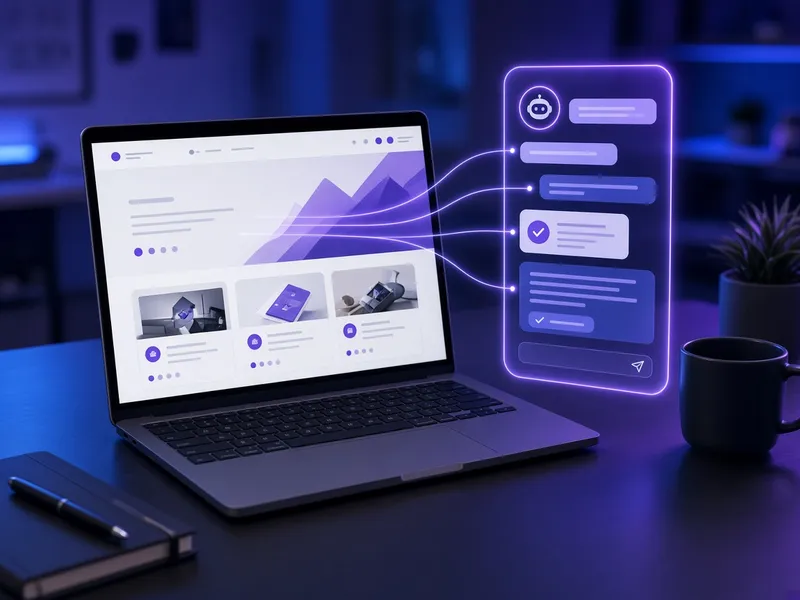
Web MCP gives your website an MCP server, a standard connection that lets AI assistants like ChatGPT and Claude read your services, hours and answers, and take the actions you allow, such as requesting a booking.
Book a free demoCall (570) 563-7380What Web MCP is
MCP (Model Context Protocol) is an open standard that AI assistants use to connect to outside tools and data. With Web MCP, your site speaks that standard directly, so assistants get accurate information from you instead of guessing.
What it covers
- 1Accurate answers from your siteAI assistants read your services, hours, locations and FAQs from a source you control.
- 2Approved actions onlyYou choose what assistants may do, such as request an appointment or send a contact request.
- 3Works with major assistantsBuilt on the open MCP standard used by assistants such as ChatGPT and Claude.
- 4Kept in syncWhen your site content changes, the MCP server serves the updated information.
- 5Lead captureRequests that come in through an assistant reach your team like any other lead.
- 6Set up for youOur team builds, connects and tests the server so you do not have to.
From setup to results
Review
We review your website and agree on what information and actions to expose.
Build
We set up the MCP server for your site with the tools you approve.
Connect
We test it with supported AI assistants and fix any gaps.
Maintain
We keep it updated as your services and content change.
Common questions
What is an MCP server?
MCP stands for Model Context Protocol, an open standard for connecting AI assistants to data and tools. An MCP server for your website lets compatible assistants read your content and use the actions you allow.
Which AI assistants can use it?
Assistants that support MCP connections, such as ChatGPT and Claude, can use it. Support and setup steps differ by assistant and plan.
Can an AI assistant change my website?
No. Assistants can only use the specific read and action tools you approve, such as reading your FAQs or submitting a booking request.
Do I need a new website?
No. Web MCP works alongside your existing website.
How much does it cost?
Web MCP is included in the $497/month Complete AI Team Bundle. Book a free demo to talk through your setup.
Try it: connect your AI assistant to https://diazagents.com/mcp
Diaz Agents runs its own Web MCP server. Add https://diazagents.com/mcp as a remote MCP server (Streamable HTTP, no sign-in) in an assistant that supports custom connectors, such as ChatGPT or Claude. Then ask it about our services, pricing or blog, or ask it to request a consultation for you.
- 1Read-only tools list services, service details, pricing, site search, blog posts and contact info, all taken from this website.
- 2One approved action sends a consultation request, the same as our contact form.
- 3Discovery is described at /.well-known/mcp.json and /llms.txt.
Ready to add Web MCP?
Web MCP is included in the $497/month Complete AI Team Bundle. Book a free demo and we will walk through how it would work for your business.
Book a free demo Call (570) 563-7380More AI Diaz Agents services

Web Design
A fast, mobile-first website built to turn visitors into leads.
Learn more →
Reviews & Reputation
Request reviews and reply on every connected review site.
Learn more →
Google Business Profile & Google Reviews
Optimize your Google Maps listing and answer your Google reviews.
Learn more →
Social Media Posting
Planned, on-brand posts for the platforms you use, approved by you.
Learn more →
App Development
Custom apps, portals and booking tools built for your business.
Learn more →
Inbound/Outbound AI Receptionist
Answer every call, book appointments and follow up, 24/7.
Learn more →
Text Campaigns
Consent-based SMS promotions, reminders and follow-ups.
Learn more →
Ads Campaigns
Ad campaigns across the platforms your customers use, tracked to leads.
Learn more →
Local Marketplace Listings
Accurate listings and offers across local directories and marketplaces.
Learn more →
Custom AI Systems & Projects
Any custom system or project: automations, integrations and tools.
Learn more →
AI Email Campaign Agent
Planned, on-brand email newsletters and follow-ups, approved by you.
Learn more →
AI Video Campaign Agent
Short videos and video ads built from your own clips and brand.
Learn more →